About this Article
MAST Staff - 2026 Sep 15FTPS Batch Staging Discontinuing from MAST on October 1st
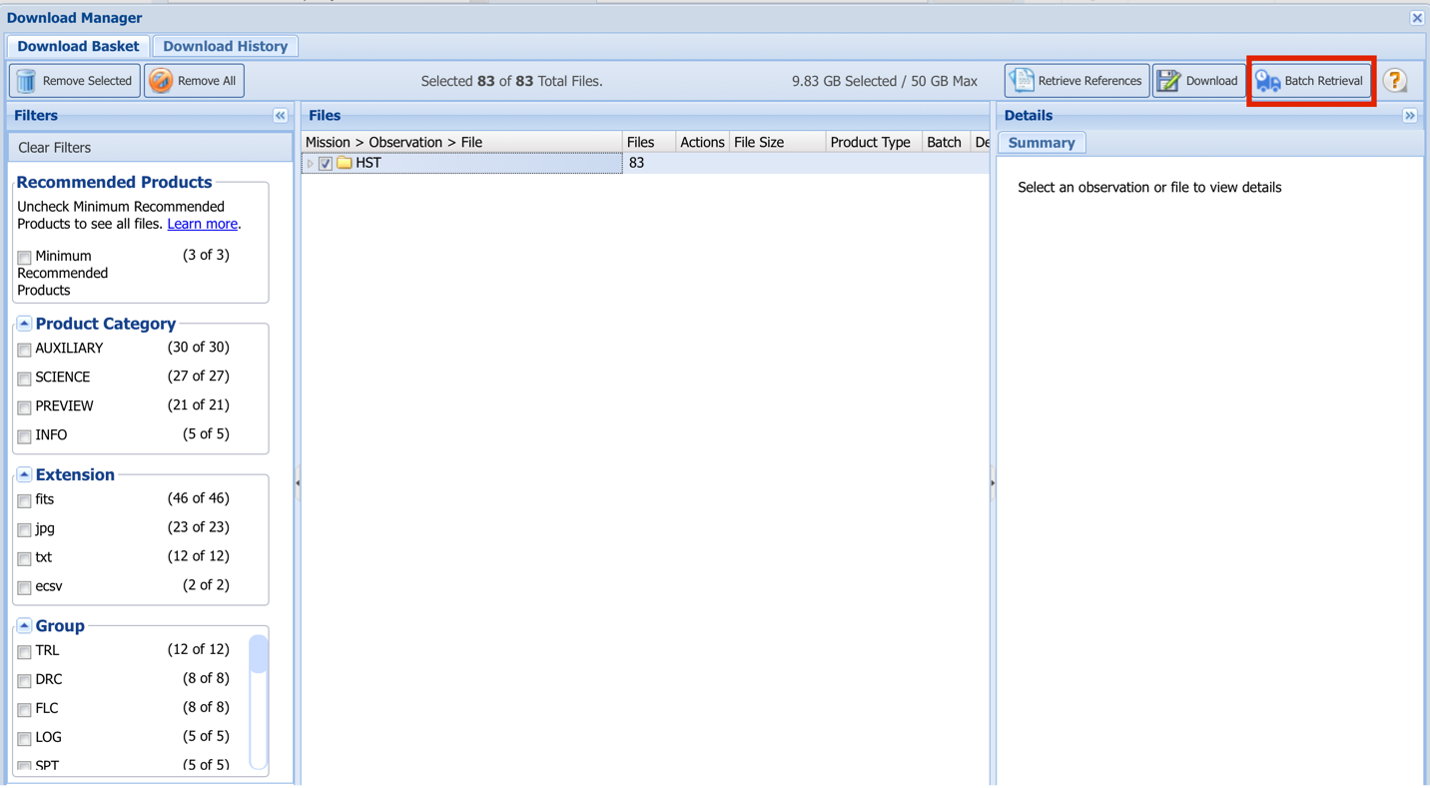
On October 1st, MAST will be discontinuing FTPS batch staging as a retrieval mechanism as it is no longer feasible for us to maintain this capability. Batch staging has been increasingly difficult to support and has seen year-over-year reduction in use. This option has been available in the MAST Portal (see Figure 1) and in some of our legacy search forms.
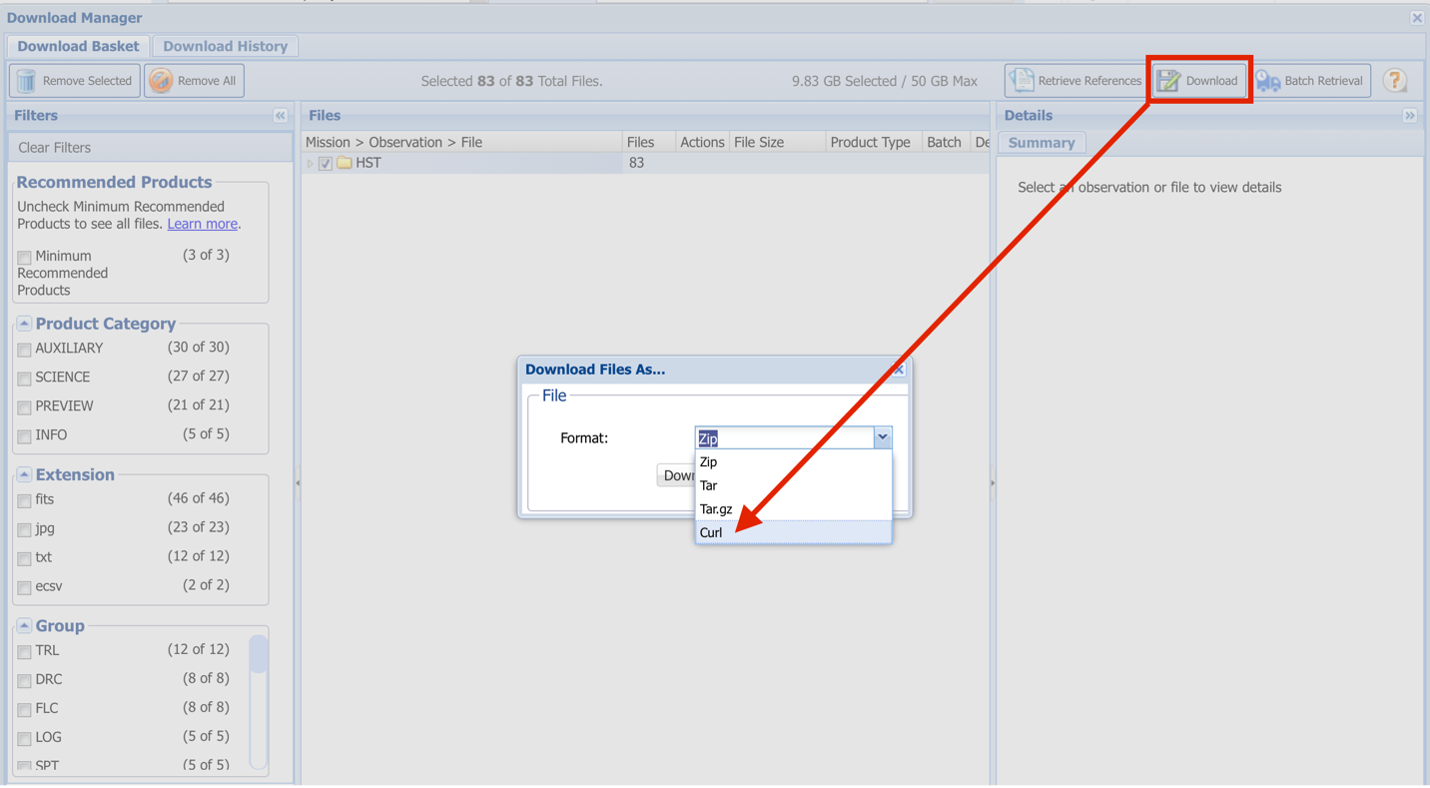
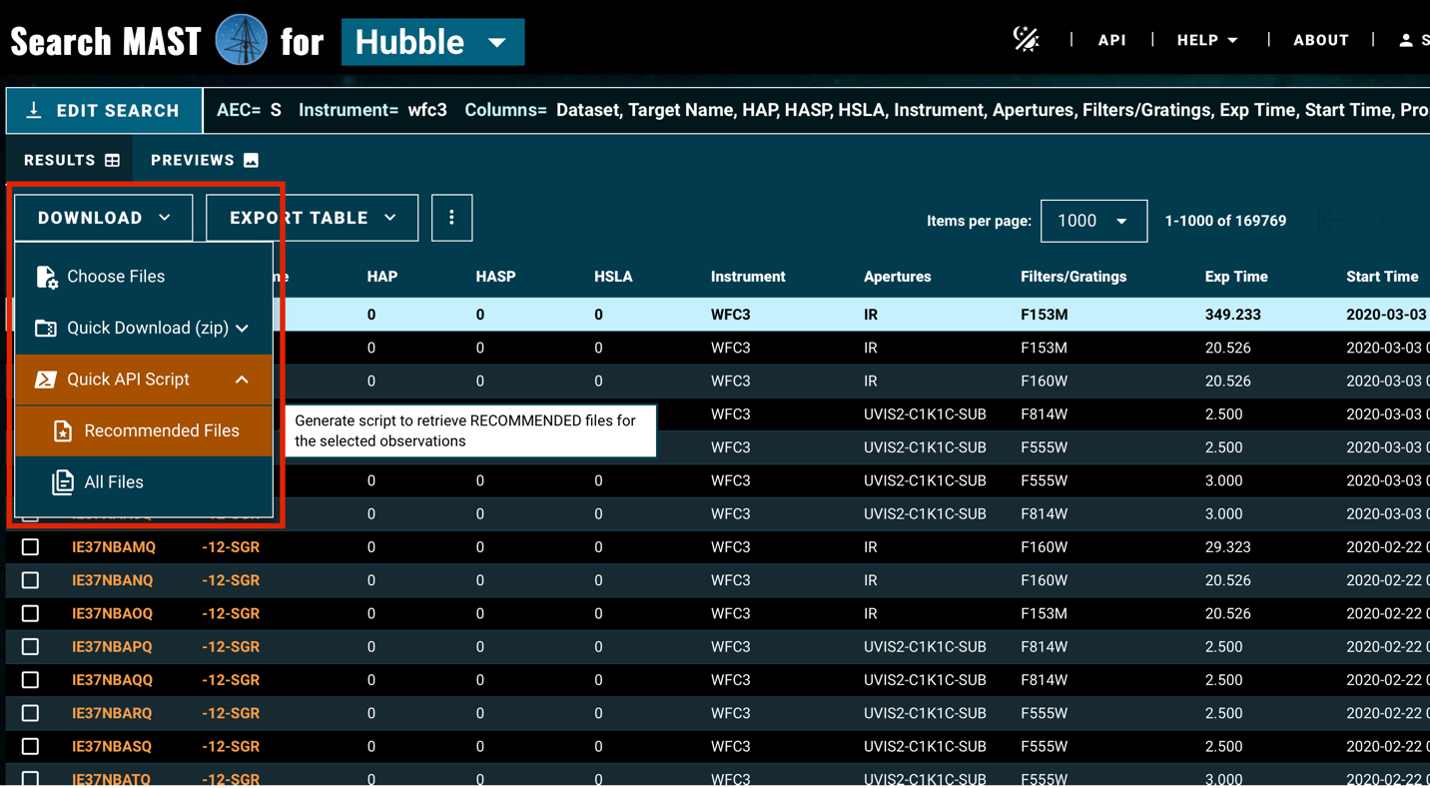
For those who used batch staging as a mechanism to request products but want to download them later, the alternative is to request a curl download file. This option is available in both the MAST Portal and our modern mission search (see Figures 2 and 3). You will get a shell script containing curl commands to download your files whenever you execute the script. Each line in the shell script retrieves a single product, giving you ultimate control of when and what to retrieve. The curl script supports downloads of exclusive access product using your personal MAST token. For those working in Python, we highly recommend astroquery.mast for programmatic access of product selection and downloading as another option to consider.